Taking SEO Seriously — A Record of Pushing PageSpeed Insights to the Limit

A record of going from nearly zero SEO to PageSpeed Insights ALL 100.
Images converted to WebP for 95% reduction, 7.8 MB of fonts removed, JSON-LD/OGP implemented — everything the code could address, all done. Including some surprising traps along the way, like Cloudflare's email obfuscation.
Background
Site structure
The target site is a single-page portfolio built with static HTML — no build step. index.html, CSS, JS, and images live in a GitHub repository hosted on GitHub Pages. The custom domain is pointed to GitHub Pages via a DNS CNAME record.
Repository main branch → GitHub Pages → example.com
Files push and reflect within seconds. The tradeoff is that GitHub Pages CDN TTL is fixed at 10 minutes to several hours, with no fine-grained control over delivery settings. The remaining issues mentioned later are mostly a result of this constraint.
SEO starting point
I'd been focused on the design, while SEO was completely neglected.
- No
<meta name="description"> - No OGP or Twitter Card
- No canonical
- Images were PNG, no
width/heightattributes - The
<h1>tag was simulated with CSS (actually a<div>)
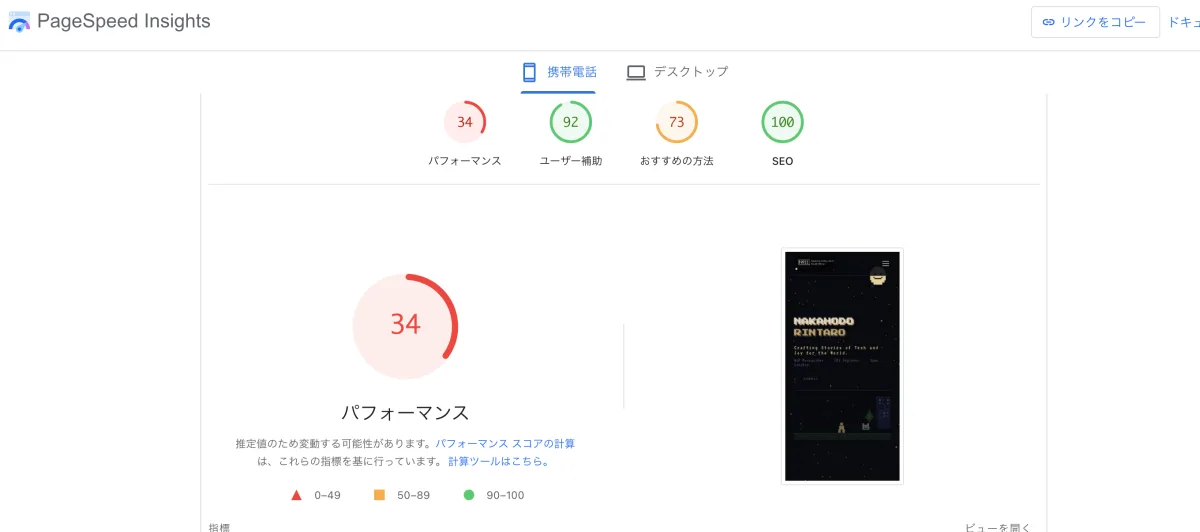
After fixing meta tags, OGP, and similar basics, the Performance score was still 32 on mobile — the remaining gap was almost entirely image size.
Step 1: SEO fundamentals
First, I added everything missing from <head>.
Meta tags
<title>Your Name — Your Title</title>
<meta name="description" content="Your Name's portfolio. Describe your profession and areas of expertise here.">
<link rel="canonical" href="https://example.com/">
<link rel="alternate" hreflang="en" href="https://example.com/">
<link rel="alternate" hreflang="x-default" href="https://example.com/">
OGP / Twitter Card
<meta property="og:type" content="website">
<meta property="og:title" content="Your Name — Your Title">
<meta property="og:image" content="https://example.com/img/ogp.jpg">
<meta property="og:image:width" content="1200">
<meta property="og:image:height" content="630">
<meta name="twitter:card" content="summary_large_image">
For summary_large_image, the OG image needs to be at least 1200px wide with a 2:1 ratio. I picked the portfolio image that met those requirements.
JSON-LD (structured data)
Added both a Person schema and a WebSite schema:
{
  "@context": "https://schema.org",
  "@type": "Person",
  "name": "Your Name",
  "url": "https://example.com/",
  "jobTitle": "Your Job Title",
  "sameAs": [
    "https://github.com/your-username",
    "https://twitter.com/your-username",
    "https://www.linkedin.com/in/your-profile"
  ]
}
H1 / H2 structure
Changed section headings that were using <div> substitutes to <h2>. Changed the hero area name to <h1>. The visual appearance doesn't change at all, but the semantic meaning for crawlers does.
Sitemap
Docusaurus auto-generates /blog/sitemap.xml for the blog side, but there was no sitemap.xml at the root. Created one in sitemapindex format:
<?xml version="1.0" encoding="UTF-8"?>
<sitemapindex xmlns="http://www.sitemaps.org/schemas/sitemap/0.9">
  <sitemap>
    <loc>https://example.com/blog/sitemap.xml</loc>
  </sitemap>
</sitemapindex>
Step 2: Thorough image optimization
Images were the most loudly flagged issue in PageSpeed.
WebP conversion
Converted all 6 PNG/JPG images to WebP. sips is macOS's built-in tool but doesn't support WebP output, so I used cwebp:
cwebp -q 82 img/hero.png -o img/hero.webp
Total size before and after:
| Before | After |
|---|---|
| ~6.4 MB | ~344 KB |
95% reduction. Even this alone makes a noticeable speed difference.
Responsive images (srcset / sizes)
WebP conversion alone isn't enough — you need to serve the right size based on the device's DPR. PageSpeed Insights calculates what size is needed using the device's DPR (1.44–1.75).
<picture>
  <source
    srcset="img/hero-1x.webp 672w,
      img/hero-968.webp 968w,
      img/hero-sm.webp 1080w,
      img/hero-md.webp 1202w,
      img/hero.webp 1344w"
    sizes="(max-width: 640px) 617px, 672px"
    type="image/webp"
  >
  <img src="img/hero.png" alt="Hero image"
    width="1344" height="748">
</picture>
The sizes attribute tells the browser "at this viewport width, the image is displayed at N px." Writing a fixed value can cause issues — on a DPR 1.75 mobile device, 672 × 1.75 = 1176px is needed, which causes 1202w to be selected. By declaring 617px, the calculation becomes 617 × 1.75 = 1079px → 1080w is selected instead.
DPR-to-file selection breakdown:
| DPR | Needed px | File selected |
|---|---|---|
| 1.0 | 672 | hero-1x.webp (43 KB) |
| 1.44 | 968 | hero-968.webp (72 KB) |
| 1.6 | 1075 | hero-sm.webp (85 KB) |
| 1.79 | 1203 | hero-md.webp (99 KB) |
| 2.0 | 1344 | hero.webp (116 KB) |
Step 3: Eliminating forced reflow
PageSpeed's "forced reflow" warning occurs when JavaScript reads offsetWidth and similar properties immediately after layout calculation, forcing the browser to recalculate.
Before: reading in requestAnimationFrame
requestAnimationFrame(() => {
  const stageW = stage.offsetWidth; // ← forced reflow here
  ...
});
Even inside rAF, if there was a DOM write immediately before, reading triggers recalculation.
After: caching with ResizeObserver
let stageW = 0;
const ro = new ResizeObserver(entries => {
  stageW = entries[0].contentRect.width; // ← received after layout (no reflow)
  ...
});
ro.observe(stage);
ResizeObserver callbacks are called after the browser's layout phase, so the size can be obtained without reading offsetWidth. DOM reads inside the animation loop dropped to zero.
Step 4: Removing render-blocking resources
Google Fonts async loading
<!-- Before: render-blocking -->
<link rel="stylesheet" href="https://fonts.googleapis.com/css2?...">

<!-- After: async loading -->
<link rel="stylesheet" href="https://fonts.googleapis.com/css2?...&display=swap"
      media="print" onload="this.media='all'">
Setting media="print" means the browser won't use it for normal rendering, so it downloads asynchronously. The onload handler switches media='all' once loading completes.
Inlining lite-yt-embed.css
External CSS files block HTML parsing. Inlining the 2.3KB lite-yt-embed.css into a <style> tag removes it from the critical path:
Maximum critical path wait time for this CSS: 537 ms → 0 ms
Deferred GA4 loading
PageSpeed Insights revealed that the GA4 script was causing 53ms of forced reflow on mobile. Loading it dynamically after window.load eliminates interference with the initial render:
window.addEventListener('load', function() {
  var s = document.createElement('script');
  s.src = 'https://www.googletagmanager.com/gtag/js?id=G-XXXXXXXXXX';
  s.async = true;
  document.head.appendChild(s);
});
Step 5: Accessibility
PageSpeed Insights flagged the scroll ticker text as low contrast.
/* Before: contrast ratio 3.6:1 (below WCAG AA's 4.5:1) */
.ticker-item {
  color: var(--accent); /* #c8a96e */
  opacity: 0.6;
}

/* After: contrast ratio ~7:1 (WCAG AAA level) */
.ticker-item {
  color: var(--accent);
  opacity: 0.85;
}
opacity: 0.6 on a dark #0f0f1a background dropped the contrast to 3.6:1. Raising to 0.85 achieved 7:1.
Remaining issues
Some things can't be changed as long as GitHub Pages is the host:
| Issue | Reason |
|---|---|
| Cache TTL 4h | GitHub Pages spec. Only fixable by moving to a CDN |
| Google Fonts 60KB | Font CSS includes many @font-face with unused unicode-range. Fixable by self-hosting |
| GTM unused JS 62KB | Required for GA4. Can't cut |
Despite aiming for 100, cache and external script issues can't be structurally resolved. Given that PageSpeed Insights scores are estimated values that vary with each measurement, doing everything possible within our own codebase was the realistic end goal.
Reflections
What started as "just add some OGP tags" turned into a deeper dive each time I ran PageSpeed Insights.
What I learned most:
- srcset without
sizesis meaningless — they only work correctly together - ResizeObserver and requestAnimationFrame are different things — rAF is about timing; ResizeObserver is about post-layout hooks
- GA4 itself causes reflow — loading it before the page renders affects PageSpeed Insights scores
In the end, "every problem addressable in code" was addressed. The rest is a hosting decision.
Final scores
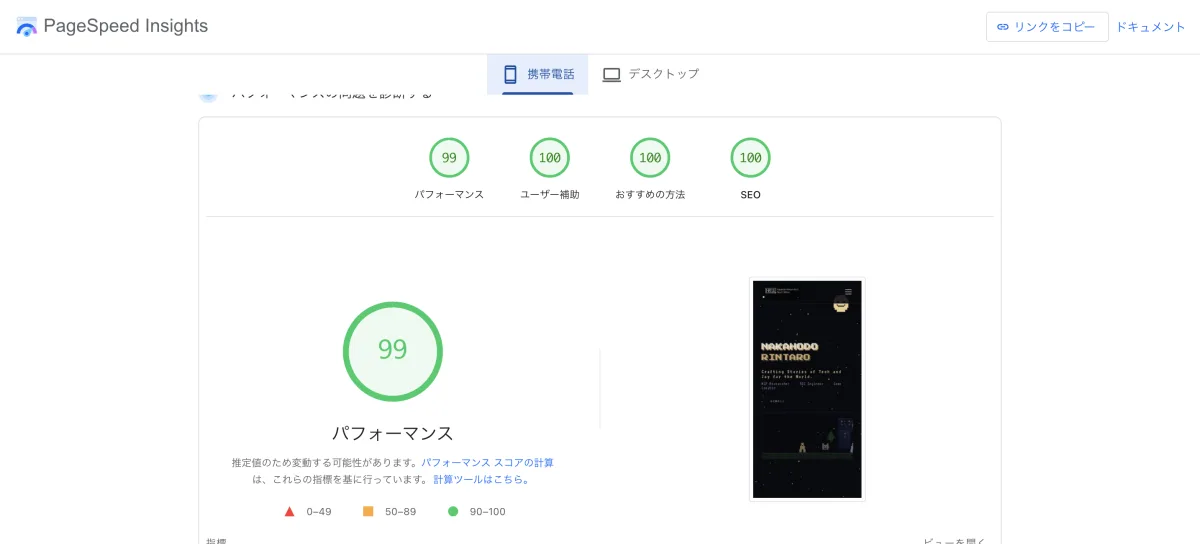
Mobile
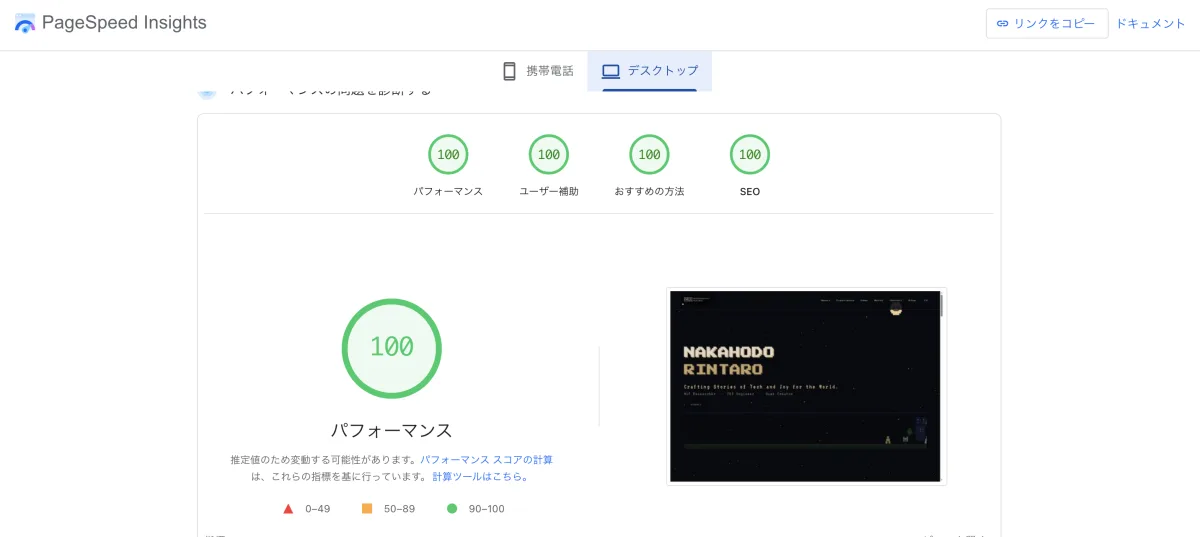
Desktop
Live with a Smile!